Link Your Teacher
Enter teacher's Unique ID to start tracking your progress
How It Works
Get Teacher's ID
Ask your teacher for their unique ID, found on their profile page
Link Your Account
Go to the ‘I am a student’ tab, enter the ID, and click “Link Teacher”
Start Monitoring
Your teacher can now track your progress to give you better feedback.
How to link a teacher?
1. Ask your teacher for their UID
2. After getting your teacher's UUID, enter the 'Teacher/ Student'
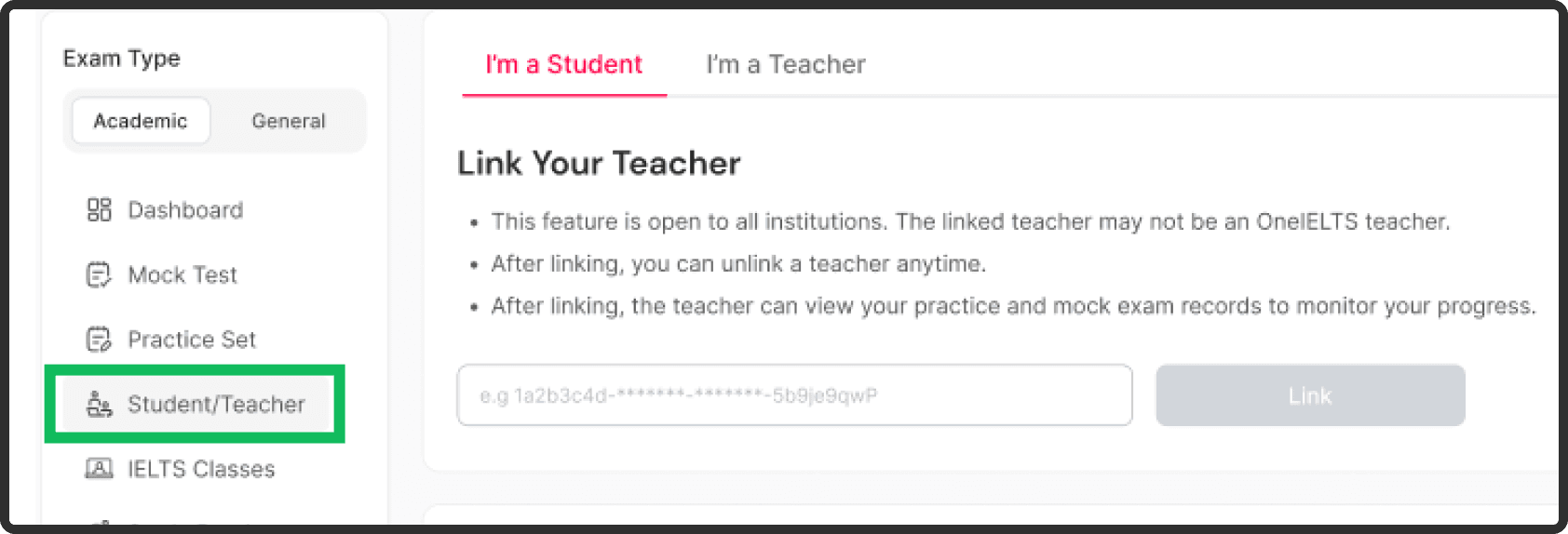
3. Paste your teacher's UUID into the box
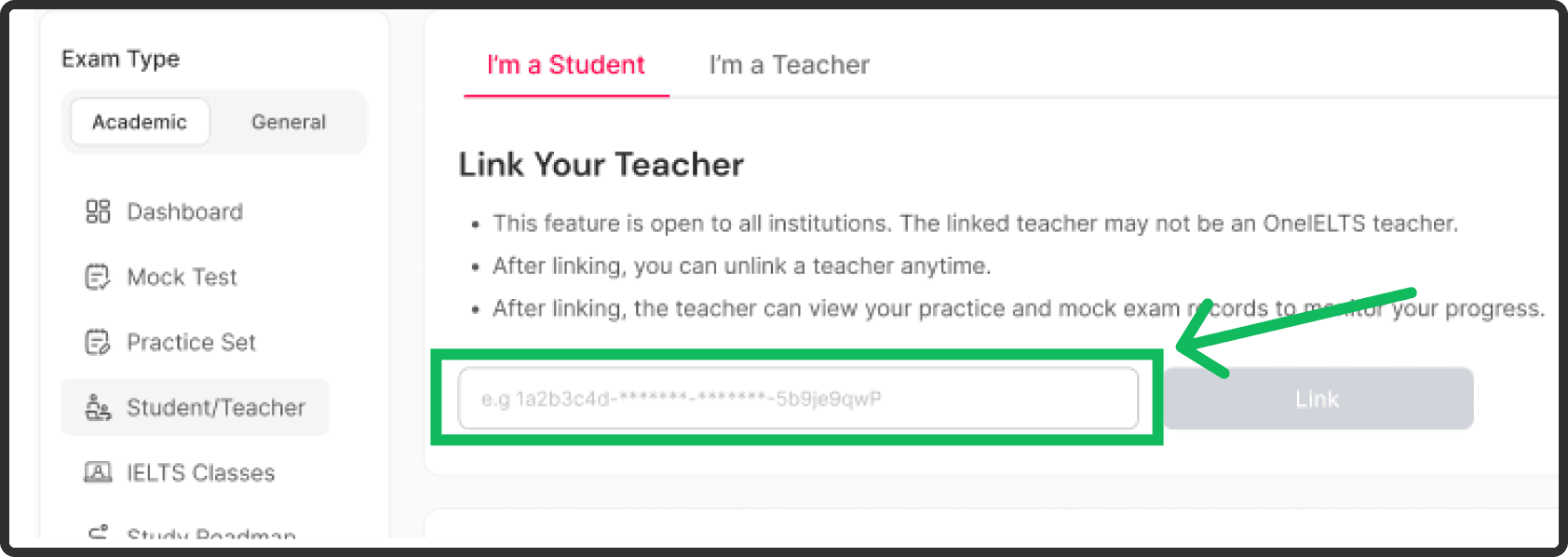
4. Click on the 'Link' button and add your teacher
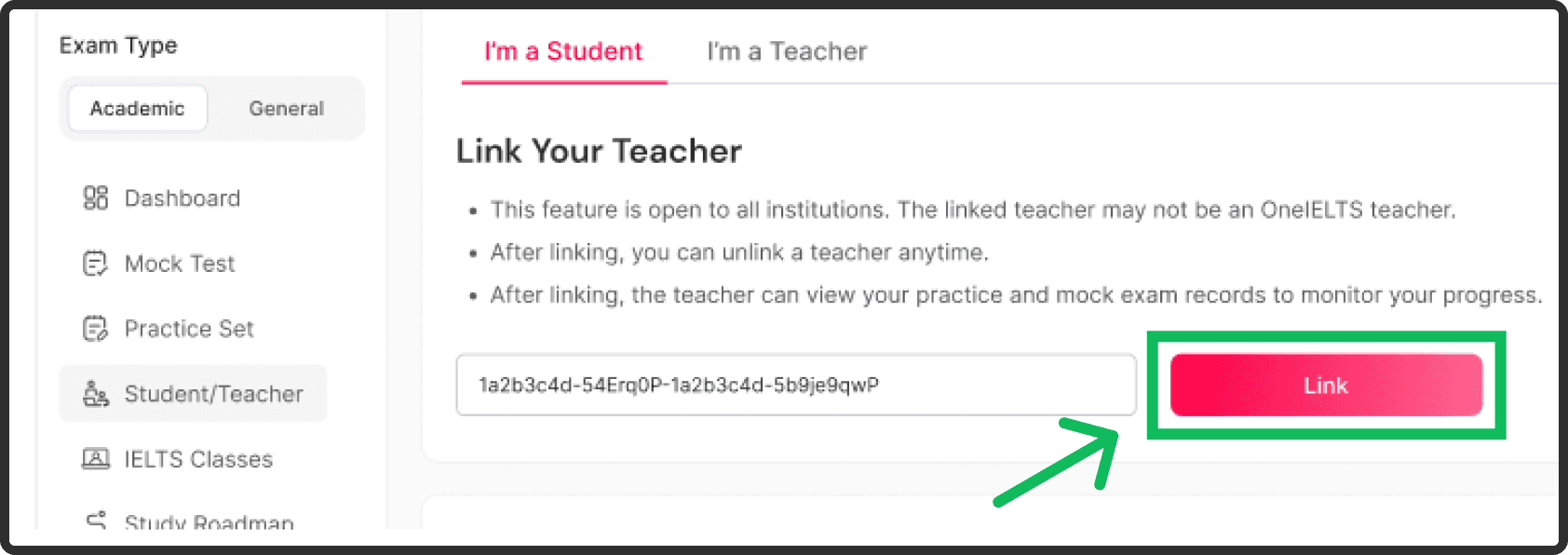
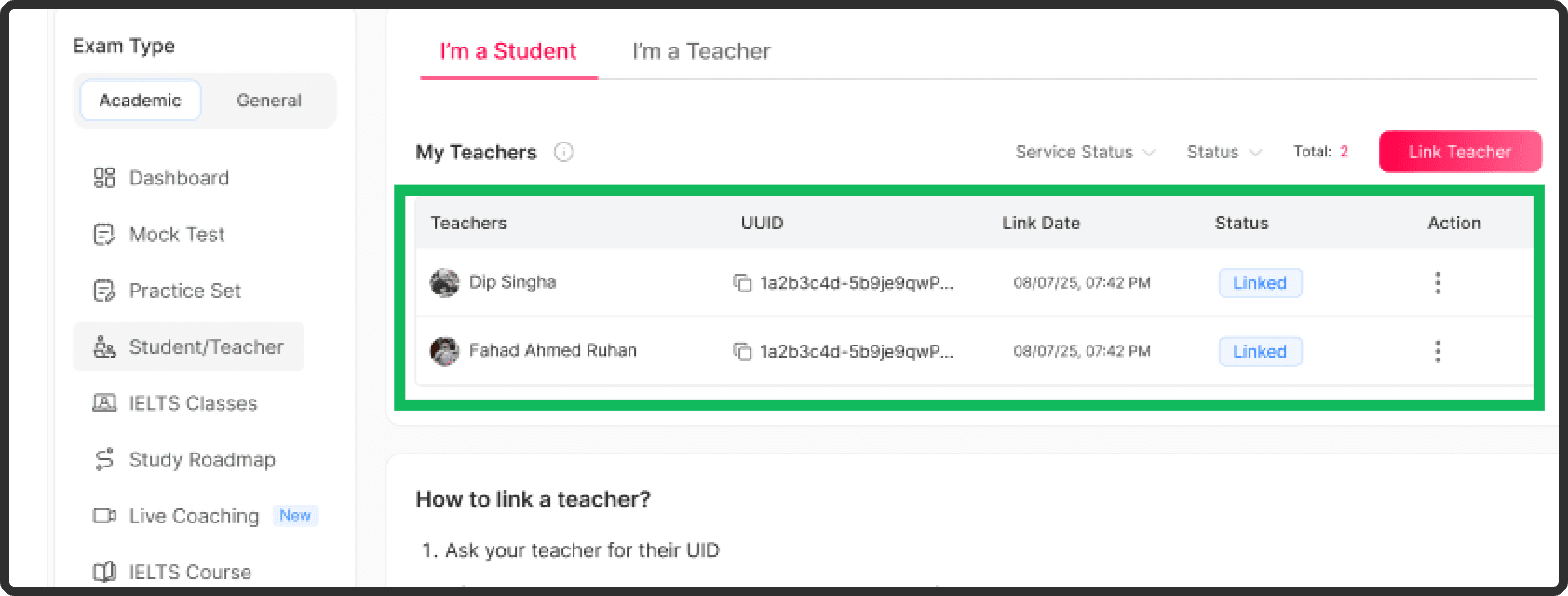
5. You can see all teachers whom you've linked with in the 'My Teachers' section
How to unlink a teacher?
1. You can see all teachers whom you've linked with in the 'My Teachers' section
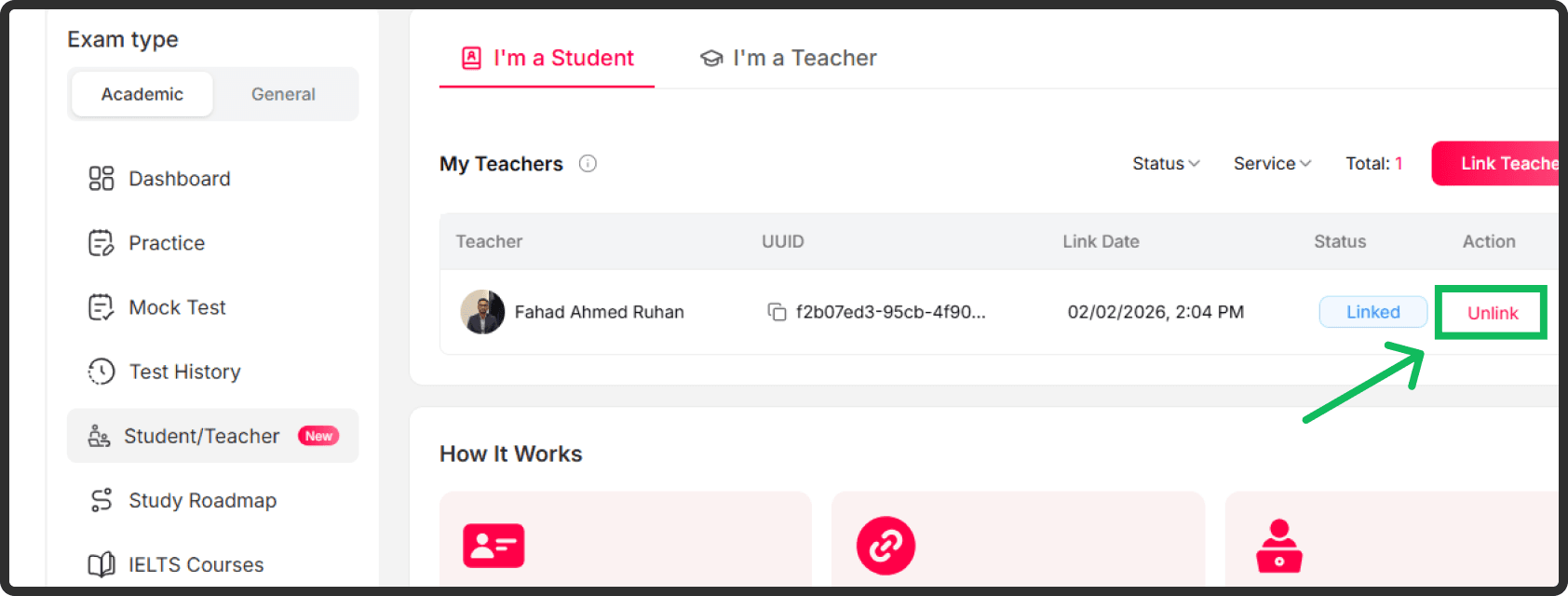
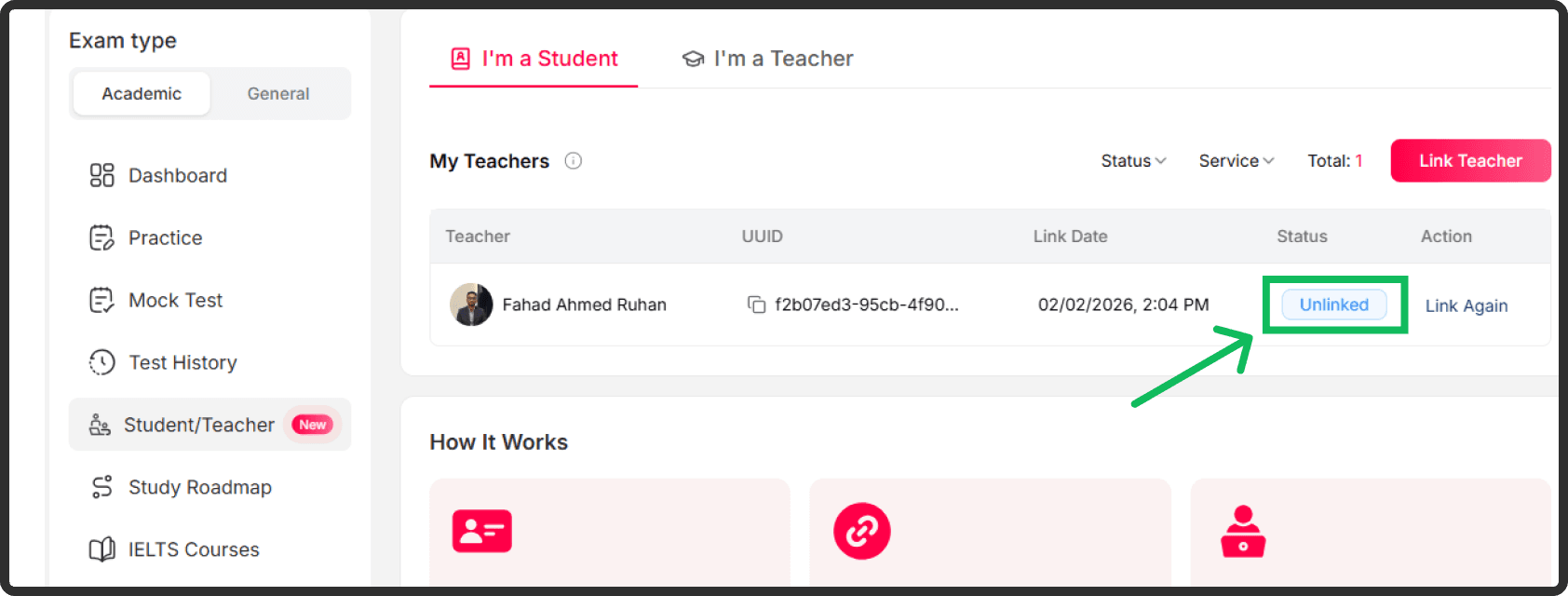
2. If the status is 'Unlink', it means you've unlinked the teacher successfully
3. After unlinking, the teacher can no longer view your practice and exam records
Download Mobile App
Practice IELTS whenever you want


Or Scan QR Code

App Store

Google Play
Official IELTS bodies (external)
Study IELTS
Quick Links
Address:
12/A, Ananda Tower, Lift 11, Jail Road, Sylhet.
Disclaimer: IELTS is a registered trademark of the British Council, IDP: IELTS Australia and Cambridge University Press & Assessment. OneIELTS is an independent preparation platform and is not affiliated with, approved by, or endorsed by the trademark owners. All practice material on this site is written by OneIELTS.
Copyright © 2026 OneIELTS. A product of Acadion Technologies.
Trade License: 1230052127